Visitor Management System Pricing: A Buyer's Guide
Get clear insights on visitor management system pricing, key features by tier, and tips to choose the best solution for your facility and budget.
by Building Intelligence Team
2025-06-17
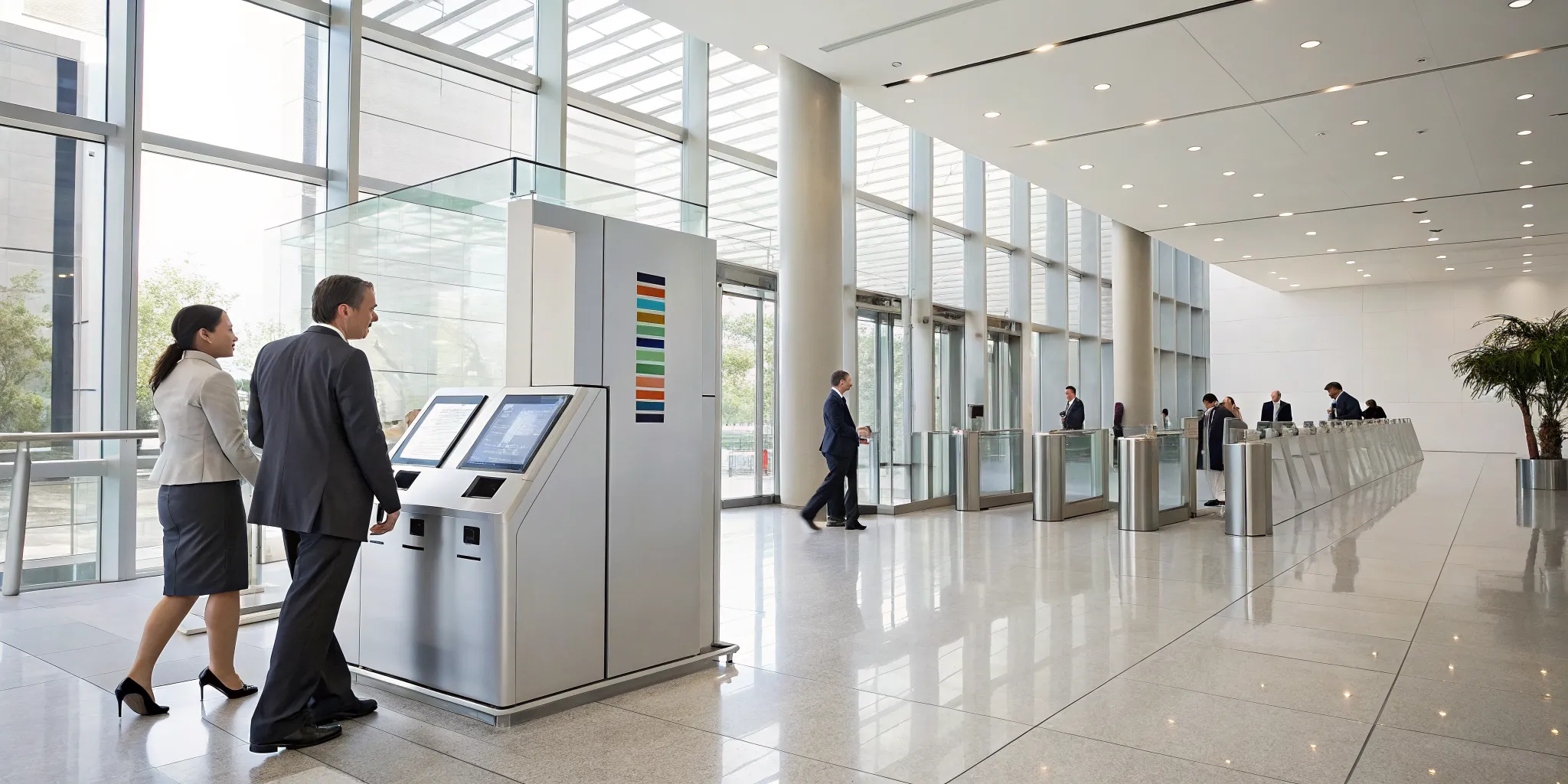
The price you see on a website is rarely the final price you’ll pay. When it comes to visitor management system pricing, the monthly fee is just the beginning. Many providers have additional costs for essential services like setup, training, custom branding, or integrations with the tools you already use. Some even charge extra if you exceed a certain number of visitors per month. To create an accurate budget, you need to know what questions to ask. This guide will pull back the curtain on the hidden fees and variable costs so you can get a complete picture of the total investment.
## Key Takeaways
* **Pricing is tiered to match your needs**: Visitor management system costs are not one-size-fits-all; they range from basic plans under $100 to enterprise solutions over $300 per month. The final price reflects your specific needs, such as visitor volume, number of locations, and required security features.
* **Calculate the total cost of ownership**: To understand the true investment, look beyond the monthly subscription. Factor in one-time hardware purchases like tablets and badge printers, plus potential fees for setup, custom branding, or essential integrations.
* **Prioritize long-term value over the lowest price**: The cheapest plan is rarely the best deal. Focus on the system's return on investment, which comes from improved efficiency, stronger security, and scalability. A platform that grows with you offers far more value than a basic, low-cost alternative.
## What Is a Visitor Management System?
Let's start with the basics. A visitor management system, or VMS, is a digital tool that automates how you welcome and track guests in your facility. Think of it as a major upgrade from the old paper logbook sitting on the reception desk. Those binders were often messy, created a bottleneck for everyone, and offered very little real security. A modern VMS streamlines the entire process, from the moment a visit is scheduled to the second a guest checks out. It creates a seamless, professional experience for your visitors while giving your team the security and oversight it needs to keep your property safe.
But these systems are about more than just greeting guests. A truly comprehensive platform helps you manage every person and asset that comes through your doors. This includes not just [visitor management](https://buildingintelligence.com/visitor-management-software/visitor-management/), but also a complete [vendor management software](https://buildingintelligence.com/visitor-management-software/vendor-management/) solution to handle contractors and suppliers. Some systems even extend to your loading docks and parking lots with integrated [vehicle management](https://buildingintelligence.com/visitor-management-software/vehicle-management/) capabilities. By unifying these functions, you get a single, clear picture of all activity across your property. It’s about transforming your front desk from a simple reception area into a smart, secure command center that improves operational efficiency and strengthens your security posture from the curb to the lobby.
### Key Features to Look For
When you start comparing systems, you'll see a lot of different features. Focus on the ones that make the biggest impact on security and efficiency. Pre-registration is a must-have. It allows hosts to register a guest’s information before they arrive, which creates a much faster, smoother check-in process and eliminates long lines at the front desk. Look for tools like automated check-in with QR codes, visitor apps, and instant badge printing. For enterprise needs, it's critical to find a system that can manage visitors across multiple locations. This ensures you have a consistent guest experience and uniform security protocols everywhere your organization operates, whether you have two buildings or two hundred.
### Who Needs a Visitor Management System?
It’s a common myth that visitor management systems are only for skyscrapers with hundreds of daily guests. The truth is, any organization that values security, efficiency, and a professional image can benefit. Even if your facility has a small number of weekly visitors, a VMS takes the check-in responsibility off your employees, freeing them up for more critical tasks. Effective visitor management is a cornerstone of safety for any modern organization, especially in sectors like commercial real estate, healthcare, and manufacturing. It provides a clear record of who is in your building at all times, which is essential for compliance and emergency preparedness.
## How Much Does a Visitor Management System Cost?
Figuring out the cost of a visitor management system can feel tricky because there isn’t a single sticker price. The final cost depends entirely on your specific needs, which is actually a good thing. It means you won’t pay for features you don’t use. Factors like the number of locations you manage, the volume of visitors you expect, and the specific security protocols you need to follow all play a role in your monthly or annual bill. Most providers structure their pricing in tiers, which helps you find a plan that matches both your operational needs and your budget.
Generally, you can expect to pay anywhere from $30 to over $350 per location each month. Some companies even offer free, limited plans if you’re a very small office just looking for a basic digital sign-in sheet. As you move up the pricing ladder, you gain access to more powerful tools for security, compliance, and automation. For example, a basic plan might just log visitors, while a premium plan could run automated background checks and integrate with access control systems. Understanding these tiers is the first step to finding a [visitor management](https://buildingintelligence.com/visitor-management-software/visitor-management/) solution that fits your organization perfectly, whether you’re managing a single lobby or a global network of facilities.
### Basic Plans
Basic plans are the entry point into visitor management software, typically running between $30 and $100 per month for each location. These plans are designed for small businesses or single-site offices with relatively low and predictable visitor traffic. If you’re just looking to replace a paper logbook, digitize the check-in process, and automatically notify employees when their guests arrive, a basic plan is a great place to start. While they won’t include advanced security screenings or extensive customization, they provide a professional and efficient front-desk experience without a major financial commitment.
### Mid-Tier Plans
For medium-sized businesses or those with growing security needs, mid-tier plans offer a significant step up in functionality. Priced between $100 and $300 per month per location, these plans introduce more control and customization. You’ll often find features like pre-registration links for guests, custom branding for the check-in kiosk, and integrations with tools you already use, like Slack or your internal directory. This tier is ideal for companies that need more than just a simple sign-in but aren’t quite ready for a full-scale enterprise solution. It strikes a balance between robust features and manageable costs.
### Premium & Enterprise Plans
Premium and enterprise plans are built for large organizations, multi-location facilities, and industries with strict regulatory requirements. Starting at $300 per month per location and often requiring a custom quote, these plans deliver the highest level of security and control. This tier includes advanced features like background checks, watchlist screening, and detailed compliance reporting. If your organization handles sensitive data or operates in a highly regulated field like healthcare or manufacturing, an [enterprise visitor management](https://buildingintelligence.com/visitor-management-software/enterprise-visitor-management/) plan is essential for maintaining security and legal compliance across all your sites.
## What Features Come With Each Pricing Tier?
When you start comparing visitor management systems, you’ll notice that pricing is almost always tiered. Think of it like buying a car; the base model gets you from A to B, but you’ll pay more for features like a sunroof, a premium sound system, or advanced safety technology. The same logic applies here. As you move up in price, you get more sophisticated features, greater customization, and tighter security controls.
The key is to find the sweet spot where you’re getting everything you need without paying for bells and whistles that won’t see any use at your facility. Most providers structure their offerings into three main categories: Basic, Mid-Tier, and Premium or Enterprise. Understanding what’s typically included in each will help you quickly identify which plans are a good fit for your organization’s size, visitor volume, and security requirements. Let’s break down what you can generally expect to find at each level.
### Basic Plan Features
Basic plans are designed for smaller offices or locations with fairly low and predictable visitor traffic. These plans, which can sometimes be free or cost under $100 per month, cover the absolute essentials. You can expect features like a digital sign-in for guests, a real-time visitor log, and automatic email or text notifications to hosts when their guest arrives. Some may even offer a simple touchless sign-in option via a QR code. The main goal here is to replace the paper logbook with a more organized and efficient digital process. Keep in mind that these plans often come with limitations, such as a cap on the number of visitor check-ins per month.
### Mid-Tier Plan Features
This is where things get more interesting for growing businesses or properties with more complex needs. Mid-tier plans typically offer everything in the basic tier plus a suite of tools for creating a more professional and streamlined experience. You’ll often find features like custom visitor badge printing, the ability to add your company branding to the check-in screen, and visitor pre-registration workflows. These plans also tend to offer more advanced integrations with the tools your team already uses, like Slack and Microsoft Teams. This tier is ideal for organizations that want more control over the [visitor management](https://buildingintelligence.com/visitor-management-software/visitor-management/) process and want to present a polished, modern image to everyone who walks through the door.
### Premium & Enterprise Plan Features
Premium and enterprise plans are built for large organizations, multi-tenant properties, and industries with strict security and compliance requirements, like healthcare and manufacturing. These plans offer the most robust security features available. Beyond standard check-ins, you’ll find advanced capabilities like integration with your building’s access control systems to grant entry through doors and turnstiles. Other common features include emergency mass notifications, single sign-on (SSO) for employees, and automated screening against internal or external blocklists. These top-tier plans provide a comprehensive solution for managing the flow of people and even [vehicles](https://buildingintelligence.com/visitor-management-software/vehicle-management/) across one or multiple locations.
## What Hardware Do You Need—and What Does It Cost?
When you invest in a visitor management system, you’re not just buying software. You also need the right hardware to create a smooth and secure check-in experience in your lobby. The software is the brain of the operation, but the hardware is what your visitors will actually interact with. The total cost of your setup will include these physical components, which are typically purchased separately from your software subscription.
The three most common pieces of hardware are tablets, badge printers, and ID scanners. The combination you choose will depend entirely on your facility's needs. A small office with low visitor traffic might only need a simple tablet, while a large corporate campus or secure manufacturing plant will likely benefit from all three. A comprehensive [visitor management](https://buildingintelligence.com/visitor-management-software/visitor-management/) solution should be flexible enough to work with the hardware that best fits your security protocols and budget. Thinking through these physical touchpoints is a critical step in planning your system.
### Tablets & Touchscreens
The centerpiece of most modern visitor check-in stations is a tablet or touchscreen. This is where your visitors will sign in, agree to any necessary documents like NDAs, and notify their host. A VMS typically requires a tablet for check-ins, which allows visitors to easily sign in and out. Using a device like an iPad or an Android tablet creates a professional, user-friendly first impression and gets rid of messy paper sign-in sheets for good. The cost can range from a few hundred dollars for a consumer-grade tablet to more for a dedicated, commercial-grade kiosk. Don’t forget to budget for a secure stand or enclosure, which protects the device from theft and gives your lobby a polished look.
### Badge Printers
For many facilities, printing visitor badges on-site is a non-negotiable security feature. A simple, self-expiring sticker badge makes it easy for your employees to identify guests at a glance, immediately improving building security. Many visitor management systems can print visitor badges on-site, a feature that enhances security and provides a professional appearance. These badges can display the visitor's name, photo, company, and the person they are there to see. Badge printers themselves can range from a couple of hundred to over a thousand dollars, depending on features like printing speed and color capabilities. You’ll also want to account for the recurring cost of supplies, such as the badge labels themselves.
### ID Scanners
If security is a top priority, an ID scanner is an essential addition to your visitor management hardware. ID scanners are an important component of some systems, allowing for the quick and accurate verification of visitor identities. Instead of having visitors manually type their name and information, they can simply scan their driver's license or other government-issued ID. This not only speeds up the check-in process but also ensures the information is accurate. For high-security environments, scanners can also be used to screen visitors against internal or external watchlists. This is especially useful for managing access for temporary workers and outside [vendor management](https://buildingintelligence.com/visitor-management-software/vendor-management/). The cost varies, from using a tablet’s built-in camera to dedicated hardware scanners that offer greater speed and accuracy.
## What Hidden Fees Should You Look For?
When you’re comparing visitor management systems, the price you see on a pricing page isn’t always the full story. The monthly subscription fee is just the starting point. Many providers have additional costs that can pop up during setup or as your needs evolve, turning an affordable solution into a surprisingly expensive one. To get a true sense of the total investment, you need to look beyond the sticker price and ask about the costs that might be hiding in the fine print.
Some companies charge extra for essential services like setup and support, while others lock key features behind more expensive plans or sell them as separate add-ons. For example, a system might seem cheap until you realize you have to pay more for custom branding or to integrate it with your existing security tools. A truly comprehensive [visitor management](https://buildingintelligence.com/visitor-management-software/visitor-management/) platform should offer transparent pricing. Before you sign any contract, it’s crucial to ask for a complete cost breakdown so you can budget accurately and avoid any unwelcome financial surprises down the road.
### Setup & Onboarding Fees
Getting your new visitor management system up and running shouldn’t be a headache, but some providers charge extra for the help you need. These setup and onboarding fees can cover anything from initial software configuration to training sessions for your front desk staff and security teams. While some companies include this as part of their package, others bill it as a one-time upfront cost. Always ask if setup is included or if it’s an additional charge. A self-service option might seem like a way to save money, but for a large or complex property, professional guidance can be invaluable for ensuring a smooth rollout and proper integration with your existing infrastructure.
### Custom Branding & Add-Ons
The ability to customize your visitor management system with your company’s logo and brand colors creates a professional and seamless experience for your guests. However, this feature often comes at a price. Many providers reserve custom branding for their mid-tier or enterprise plans, or they offer it as a paid add-on. Beyond branding, other features might also cost extra. Make sure you understand if essentials like mobile apps for employees, advanced security screenings, or integrations with tools like Slack are included in your plan. It’s important to identify which features are non-negotiable for your operations so you can find a plan that meets your needs without forcing you to pay for unnecessary extras.
### Per-Visitor & Per-Location Charges
Variable costs tied to usage can quickly inflate your monthly bill. Some VMS providers charge based on the number of visitors you check in, with steep overage fees if you exceed your plan’s limit. This model can be unpredictable and difficult to budget for, especially for high-traffic properties. Other systems charge per location, which can become costly for businesses with multiple sites. A basic check-in app might seem affordable for one office, but the costs multiply as you expand. For organizations with several properties, an [enterprise visitor management](https://buildingintelligence.com/visitor-management-software/enterprise-visitor-management/) solution with clear, scalable pricing is often a more predictable and cost-effective choice.
### Monthly vs. Annual Billing
Most software providers offer both monthly and annual billing options, and the one you choose can have a real impact on your budget. Opting for an annual plan almost always comes with a discount, sometimes saving you as much as 10% to 20% compared to paying month-to-month. This is a great way to lower your total cost of ownership if you’re confident in your choice and have the budget for the upfront payment. On the other hand, a monthly plan offers greater flexibility. It’s a lower-risk option if you’re a new business or if you want to test a system thoroughly before making a long-term commitment.
## Single-Location vs. Multi-Location Pricing: What's the Difference?
When you’re comparing visitor management systems, you’ll notice that pricing often splits between single and multi-location plans. The difference goes far beyond simply multiplying the cost by the number of sites you have; it’s really about complexity and control. A business with one office has a straightforward set of needs. They require a reliable way to check in guests, print badges, and notify employees. The pricing for these plans is typically simple because the scope is contained to a single front desk.
Things change dramatically when your organization spans multiple properties. Managing visitors across several locations isn’t just an administrative task; it reflects how well your company handles security, brand consistency, and operational oversight. The features that work for a single site often fall short when you need to manage different teams, time zones, and facilities. This is where an [enterprise visitor management](https://buildingintelligence.com/visitor-management-software/enterprise-visitor-management/) solution becomes critical for maintaining a unified and secure environment.
The higher price tag for multi-location plans reflects the advanced capabilities needed for centralized management. You’re paying for a single dashboard to monitor visitor activity across all properties, standardized check-in workflows that create a consistent guest experience, and powerful analytics that provide a bird's-eye view of your entire operation. These systems also include granular user permissions, allowing a regional security director to see data for their entire portfolio while a local receptionist can only access their specific building’s information. The challenge isn’t just finding a system; it’s finding one that [scales with your business](https://eptura.com/discover-more/blog/top-features-to-look-for-in-an-enterprise-visitor-management-system) to ensure you have the tools to manage growth without compromising on security or efficiency.
## How Top Systems Compare on Pricing
Pricing can vary widely between visitor management systems, often depending on the features, number of locations, and visitor volume you need to support. To give you a clearer picture of the market, let's look at the pricing models for a few popular platforms. This comparison will help you benchmark costs and understand what you can expect to pay for different levels of service. Keep in mind that many providers offer custom enterprise plans, so it’s always a good idea to contact them directly for a quote tailored to your specific needs.
### Building Intelligence
Building Intelligence focuses on providing a unified security platform that is often customized for complex, large-scale environments. Because solutions are tailored to integrate [visitor management](https://buildingintelligence.com/visitor-management-software/visitor-management/), vehicle access, and vendor compliance, you won’t find a one-size-fits-all price tag on the website. This approach ensures that you only pay for the specific features and scale your operation requires, whether you're managing a single high-security building or a portfolio of commercial properties. The best way to get an accurate cost is to connect with their team for a consultation. They can assess your security infrastructure and provide a personalized quote based on your needs.
### Envoy Visitors
Envoy offers several plans designed to fit different business sizes and needs. Their pricing structure is broken down into a few key tiers. The free Basic plan is a great starting point for small businesses, as it allows for up to 100 visitor entries per month. For more advanced features, the Premium plan is priced at $362 per location each month when billed annually. This tier includes custom branding, badge printing, visitor photos, and detailed reporting. For large organizations with complex security requirements, Envoy offers an [Enterprise plan](https://envoy.com/pricing) with custom pricing that includes features like watchlist scanning and specialized visitor reports.
### Archie
Archie presents a straightforward pricing model that is easy to understand. Their Starter plan begins at $109 per month and is designed for smaller offices with basic visitor management needs. For mid-sized and larger offices that handle more traffic, the Pro plan is available for $185 per month. This higher-tier plan offers more robust features, including support for unlimited visitors, badge printing capabilities, and e-signatures for legal documents or NDAs. This simple, two-tiered approach makes it easy for businesses to select a plan without getting overwhelmed by too many options, as outlined in their [visitor management pricing guide](https://archieapp.co/blog/visitor-management-system-price/).
### SwipedOn
SwipedOn is often highlighted as a budget-friendly option for businesses looking to implement a visitor management system without a significant financial commitment. With pricing around $157 per month, it offers a solid set of features that can meet the needs of many standard offices. This price point makes it an attractive choice for companies that want to modernize their front desk, improve security, and create a more professional welcome experience for guests but need to remain conscious of their budget. Its positioning as a cost-effective solution makes it a popular contender in the market for small to medium-sized businesses.
## What Should You Prioritize When Comparing Systems?
Choosing a visitor management system based on price alone can be a costly mistake. While your budget is obviously important, the cheapest option isn't always the best value. A great system is an investment in your building's security, operational efficiency, and overall guest experience. When you’re comparing different platforms, it’s helpful to look beyond the monthly fee and focus on how the software will actually function in your environment.
Think about your day-to-day operations. Does the system work with the tools you already use? Can it grow with you as you expand to new locations? Does it help you meet your security and compliance goals? A system that checks these boxes will deliver a much higher return than a basic, low-cost alternative that creates more work for your team. To make the right choice, you need to weigh the features that will have the biggest impact on your facility. We’ll walk through the four most important areas to consider: integration, scalability, security, and automation.
### Integration With Your Current Infrastructure
A visitor management system shouldn't operate in a silo. The best platforms connect seamlessly with the technology you already have in place, from your employee directory to your access control system. This integration is what creates a truly smooth and secure process for everyone involved. For example, when a visitor checks in, an integrated system can automatically grant them temporary access to specific doors or elevators and notify their host via Slack or Microsoft Teams. This eliminates manual steps for your front desk staff and reduces the chance of human error. Before you commit, ask for a list of native integrations and API capabilities to ensure the software will fit neatly into your existing workflow.
### Scalability for Future Growth
Your business isn't static, and your visitor management system shouldn't be either. Whether you plan to open new offices, acquire more properties, or simply expect an increase in visitor traffic, you need a solution that can grow with you. A scalable system allows you to manage multiple locations from a single, centralized dashboard, ensuring a consistent and secure guest experience everywhere. It should be easy to add new properties, users, and hardware without having to overhaul your entire setup. Look for an [enterprise-level solution](https://buildingintelligence.com/visitor-management-software/enterprise-visitor-management/) that offers the flexibility to adapt as your needs change, so you won’t have to switch platforms just a few years down the road.
### Security & Compliance Requirements
In today's world, security and data privacy are non-negotiable. A modern visitor management system does more than just print badges; it acts as a critical layer of your security infrastructure. The right platform will help you protect your premises, your employees, and your visitors' sensitive information. Look for features like automated watch list screening, which checks visitors against internal or external databases. It’s also important to confirm the system helps you adhere to data protection regulations like GDPR by offering customizable data retention policies and secure data storage. A strong [vendor management software](https://buildingintelligence.com/visitor-management-software/vendor-management/) component can also ensure that every third-party individual on-site meets your security standards.
### Automated Check-In Capabilities
Long lines at the front desk create a poor first impression and can become a security bottleneck. Automated check-in features are essential for creating a modern, efficient, and welcoming experience. The best systems allow you to pre-register guests, who then receive an email with a QR code for a quick scan upon arrival. This simple step drastically reduces wait times and frees up your front desk staff to focus on more valuable tasks. When you’re evaluating a [visitor management system](https://buildingintelligence.com/visitor-management-software/visitor-management/), consider how it streamlines the entire journey, from pre-arrival to check-out. Automation not only improves efficiency but also ensures that all necessary information is captured accurately every time.
## How to Calculate the ROI of Your System
When you’re looking at the price of a visitor management system, it’s easy to focus only on the upfront cost. But the real value comes from the return on your investment. A good system doesn't just cost money; it saves you money and resources in the long run. Calculating the ROI helps you see the full picture, showing how the system pays for itself through improved efficiency, stronger security, and lower operational costs. Let's break down the three main areas where you'll see a significant return.
### Time Savings & Operational Efficiency
Think about how much time your front desk staff spends on manual visitor tasks. Greeting guests, finding their host, printing temporary badges, and managing a paper logbook all add up. A visitor management system automates this entire workflow. Instead of juggling phone calls and paperwork, your staff can focus on higher-value responsibilities. This streamlined process means visitors get checked in faster, hosts are notified instantly, and your team’s productivity gets a serious lift. A comprehensive [visitor management solution](https://buildingintelligence.com/visitor-management-software/visitor-management/) can turn your reception area from a bottleneck into a smooth, efficient entry point for your entire facility.
### The Value of Enhanced Security
It’s hard to put a price on security until you have a breach. A modern visitor management system is a proactive investment in protecting your people, property, and data. It gives you a reliable, real-time digital record of everyone on-site, which is essential for everything from daily operations to emergency preparedness. You can pre-screen visitors against internal watchlists, ensure compliance requirements are met before entry, and maintain a secure digital audit trail. This added layer of security helps you [mitigate risks](https://cloudbooking.com/blogs/9-myths-visitor-management-systems) and demonstrates a clear commitment to safety, providing peace of mind that a paper logbook simply can't offer.
### Reduced Front Desk Overhead
The traditional approach to managing visitors comes with a lot of hidden costs. Expenses for paper sign-in sheets, disposable badges, and other consumables can accumulate quickly, sometimes costing hundreds of dollars per month. By switching to a digital system, you can significantly cut down on these recurring expenses. A VMS also helps you streamline how you manage third-party vendors, ensuring their credentials and insurance are always up to date before they arrive. This not only saves administrative time but also reduces potential liabilities, making a dedicated [vendor management software](https://buildingintelligence.com/visitor-management-software/vendor-management/) a smart financial decision.
## How to Choose the Right Plan for Your Budget
Finding a visitor management system that fits your budget doesn’t have to be a guessing game. With so many options available, the key is to focus on what your facility truly needs and to do a little homework before you commit. By following a few straightforward steps, you can confidently select a plan that provides real value without stretching your finances. Let’s walk through how to find the perfect fit for your organization.
### Define Your Visitor & Location Needs
Before you even look at a pricing page, start by looking inward. How many visitors do you welcome each day? How many locations do you need to cover? Answering these questions is the first step to narrowing down your options. Visitor management systems can have a wide [price range](https://archieapp.co/blog/visitor-management-system-price/), often depending on your company’s size and the number of sites you operate. A single-location office with low foot traffic has very different requirements than a multi-building campus or enterprise with facilities across the country. Make a list of your must-have features versus your nice-to-haves to create a clear picture of what you’re looking for.
### Ask for a Complete Cost Breakdown
Not all systems are created equal, even if they fall under the same category. As one provider notes, a basic sign-in app is not the same as a [fully automated lobby platform](https://www.alicereceptionist.com/how-much-does-a-visitor-management-system-cost/). When you’re comparing plans, ask for a detailed breakdown of what’s included. Are features like pre-registration, background checks, or integrations considered standard, or are they expensive add-ons? Understanding the total cost of ownership, including any potential hidden fees for setup or extra features, ensures you won’t face any budget surprises down the line. This transparency is crucial for making a smart financial decision that supports your security goals.
### Test Drive with Free Trials & Demos
The best way to know if a system is right for you is to try it yourself. Most reputable VMS providers offer free trials or live demos, giving you a hands-on feel for the software before you make a purchase. This is your chance to see how intuitive the interface is and whether it truly solves your specific challenges. You can [get a demo](https://www.greetly.com/plans) to see exactly how the check-in process works for your visitors and staff. Taking the time to test a system allows you to evaluate its functionality in a real-world context, ensuring it’s a tool your team will actually use and benefit from.
## Frequently Asked Questions
**Is a visitor management system really worth it for a small office with only a few guests a week?**
Absolutely. It’s a common misconception that these systems are only for high-traffic buildings. Even with just a handful of visitors, a VMS improves your security by creating a clear, digital record of who is on your property and when. It also frees up your team from having to stop their work to greet every guest, and it presents a polished, professional image from the moment someone walks through your door.
**Can I just use my own iPad for the check-in kiosk?**
Yes, in most cases you can. The majority of modern visitor management software is designed to be flexible and will run perfectly on standard consumer tablets like an iPad or an Android device. This is a great way to keep hardware costs down. Just remember to also invest in a sturdy, secure stand or enclosure for the tablet. This not only protects your device but also creates a more professional and permanent-looking setup in your lobby.
**What’s the biggest mistake to avoid when picking a system?**
The most common mistake is choosing a system based on price alone. The cheapest plan might seem like a good deal, but it could lack essential features like integrations with your other tools or the ability to scale as your company grows. Focusing only on the monthly fee can lead you to a system that creates more manual work or that you outgrow in a year. Instead, prioritize finding a solution that fits your specific security needs and operational workflow.
**Will my less tech-savvy visitors have trouble using a digital check-in system?**
Not at all. The best systems are designed with user-friendliness as a top priority. The on-screen instructions are typically large, clear, and guide the visitor through each step. Features like ID scanning can autofill information, which makes the process much faster and simpler than manually writing on a clipboard. For many guests, a quick digital sign-in is actually easier and more convenient than the old paper-and-pen method.
**How is vendor management different from regular visitor management?**
Think of it as managing different levels of access and risk. Visitor management is typically for guests attending a meeting or a short appointment. The focus is on a quick, welcoming check-in. Vendor management is more in-depth because it deals with contractors, suppliers, and service providers who may be on-site for longer periods and require access to more sensitive areas. It often involves pre-screening, verifying credentials like insurance, and ensuring they meet specific compliance standards before they are even approved to enter your facility.
